

Use the queue
Every post as a list, in order, with what needs attention at the top. Approve, edit, retry and leave notes here.
Tabs and search
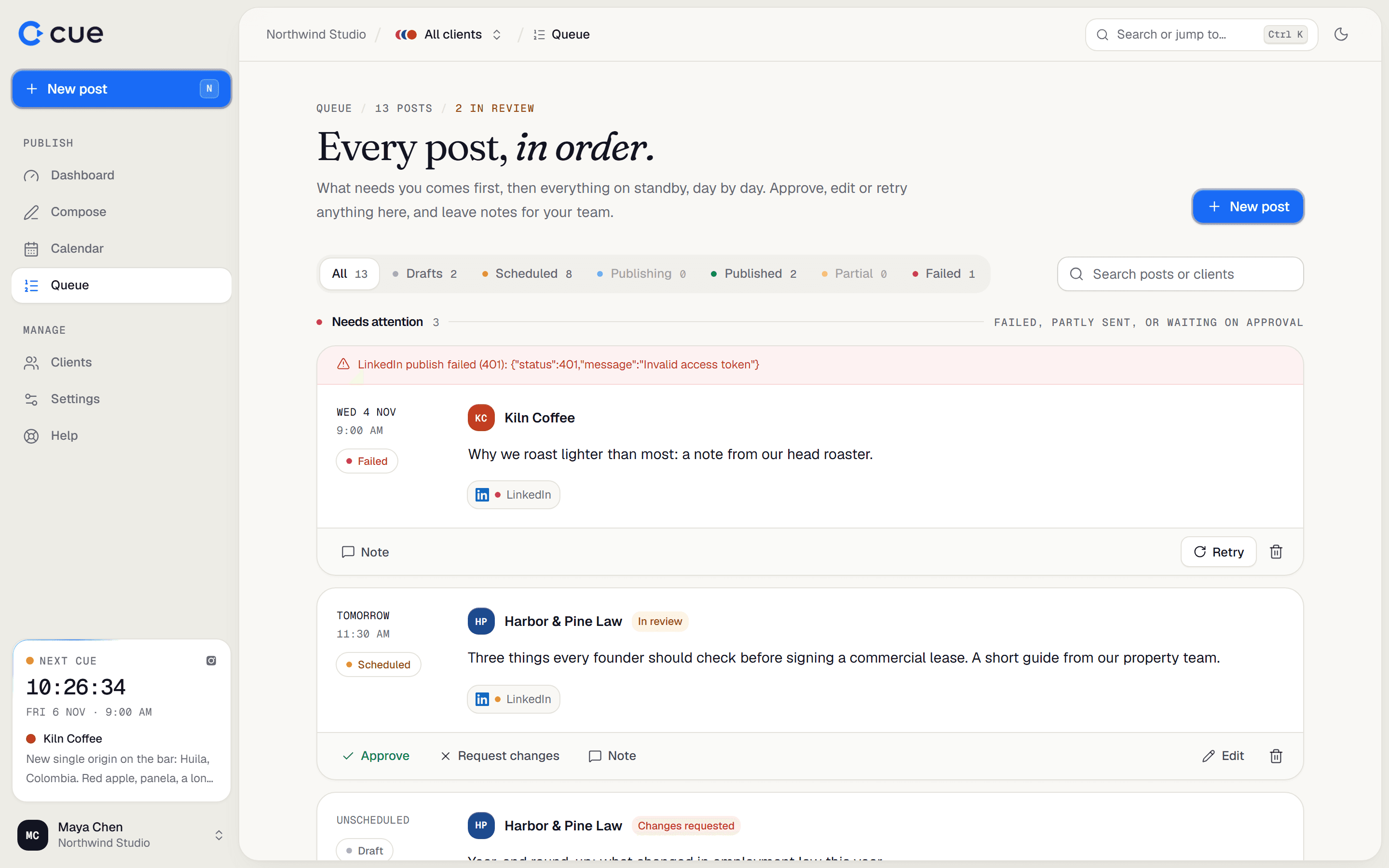
- Tabs across the top filter by status: All, Drafts, Scheduled, Publishing, Published, Partial, Failed. Each shows a count.
- Search posts or clients finds a post by its words or its client's name.
How it's ordered
| Section | Holds |
|---|---|
| Needs attention | Failed, partly sent, or waiting on approval. |
| Overdue | Scheduled posts whose time has passed and that haven't gone out yet. |
| Today, Tomorrow, then each date | What's coming up. |
| Drafts | Not scheduled to go out. |
| Published | Latest first. |
What you can do with a post
| Button | Does |
|---|---|
| Edit | Opens it in the composer (drafts and scheduled posts only). |
| Retry | For Failed or Partial posts: tries the failed accounts again straight away. |
| Delete | Removes it from Cue. Anything already published stays live. |
| View ↗ | Opens the published post on that network. |
| Send for approval / Approve | See Approvals and notes. |
| Note | Leave a note for your team on this post. |
Related guides
- Approvals and notesHold a post until someone approves it, ask for changes, and leave notes on posts for your team.
- Why did my post fail?Find the reason a post failed or only partly went out, what the message means, and how to fix it.
- Edit, move, copy or delete a postChange a scheduled post, move it to another time, copy it, or delete it.
Something here wrong or unclear? Email karan@trycue.space.