

Read the dashboard
What each part of the dashboard tells you, and what to do about it.
The four numbers
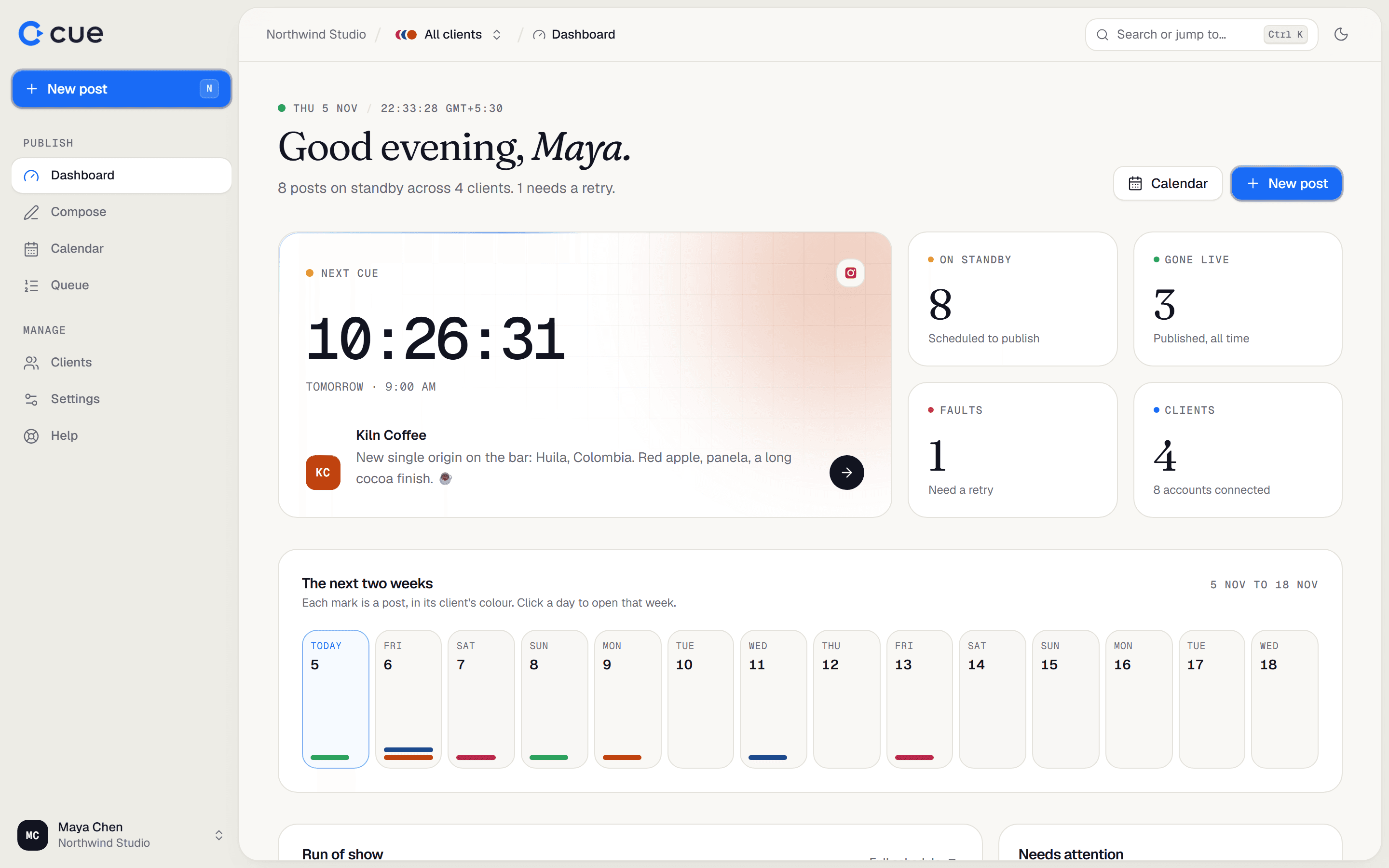
| Tile | Counts |
|---|---|
| On standby | Posts scheduled to publish. |
| Gone live | Posts published, all time. |
| Faults | Failed sends that need a retry. It counts accounts, so one post that failed on two accounts counts as 2. |
| Clients | Your clients, and how many accounts are connected. |
The rest of the page
- Next cue: a countdown to the next post going out.
- The next two weeks: each mark is a post, in its client's colour. Click a day to open that week on the calendar, or an empty day to write a post for it.
- Run of show: the next few posts. Full schedule opens the calendar list.
- Needs attention: failed posts, accounts to reconnect (expiring within 7 days or disconnected), posts awaiting approval, and drafts.
- Roster: each client and how many posts are queued for them.
Related guides
- Use the queueEvery post as a list, in order, with what needs attention at the top. Approve, edit, retry and leave notes here.
- Use the calendarSee every client's posts by week or month, filter them, drag to reschedule, and plan from the Unscheduled drawer.
- Account health and reconnectingWhat the label next to each connected account means, and how to reconnect one before posts start failing.
Something here wrong or unclear? Email karan@trycue.space.