

Find your way around
The sidebar, the client switcher, the search box (Ctrl K) and the keyboard shortcuts that make Cue quick to use.
The sidebar
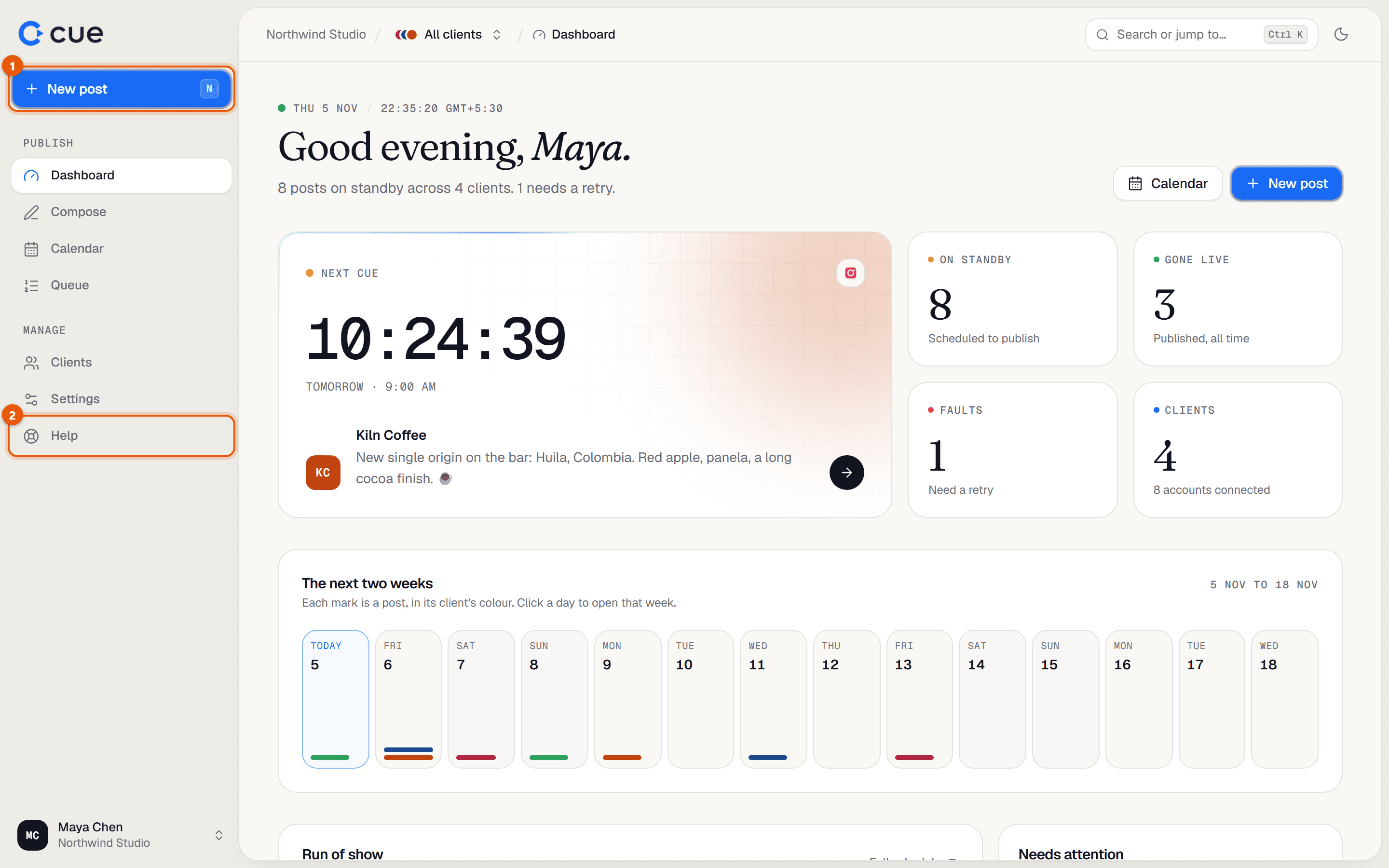
| Item | What it's for |
|---|---|
| New post | Opens the composer to write a post. |
| Dashboard | Today at a glance: what's next, what failed, what needs you. |
| Compose | Write a post. |
| Calendar | Every post on a week or month view. Drag posts to move them. |
| Queue | Every post as a list, with approvals, retries and notes. |
| Clients | Add clients and connect their accounts. |
| Settings | Your name, team, plan, media storage, API keys and appearance. |
| Help | These guides. |
Focus on one client
At the top of every page, next to your workspace name, is the client switcher. It says All clients until you pick one.
Click All clients and choose a client.
The dashboard, calendar and queue now show only that client's posts, and new posts start with that client selected.
To see everyone again, open the switcher and choose All clients.
Search or jump to anything
Click Search or jump to… at the top, or press
Ctrl K(⌘Kon a Mac) or/.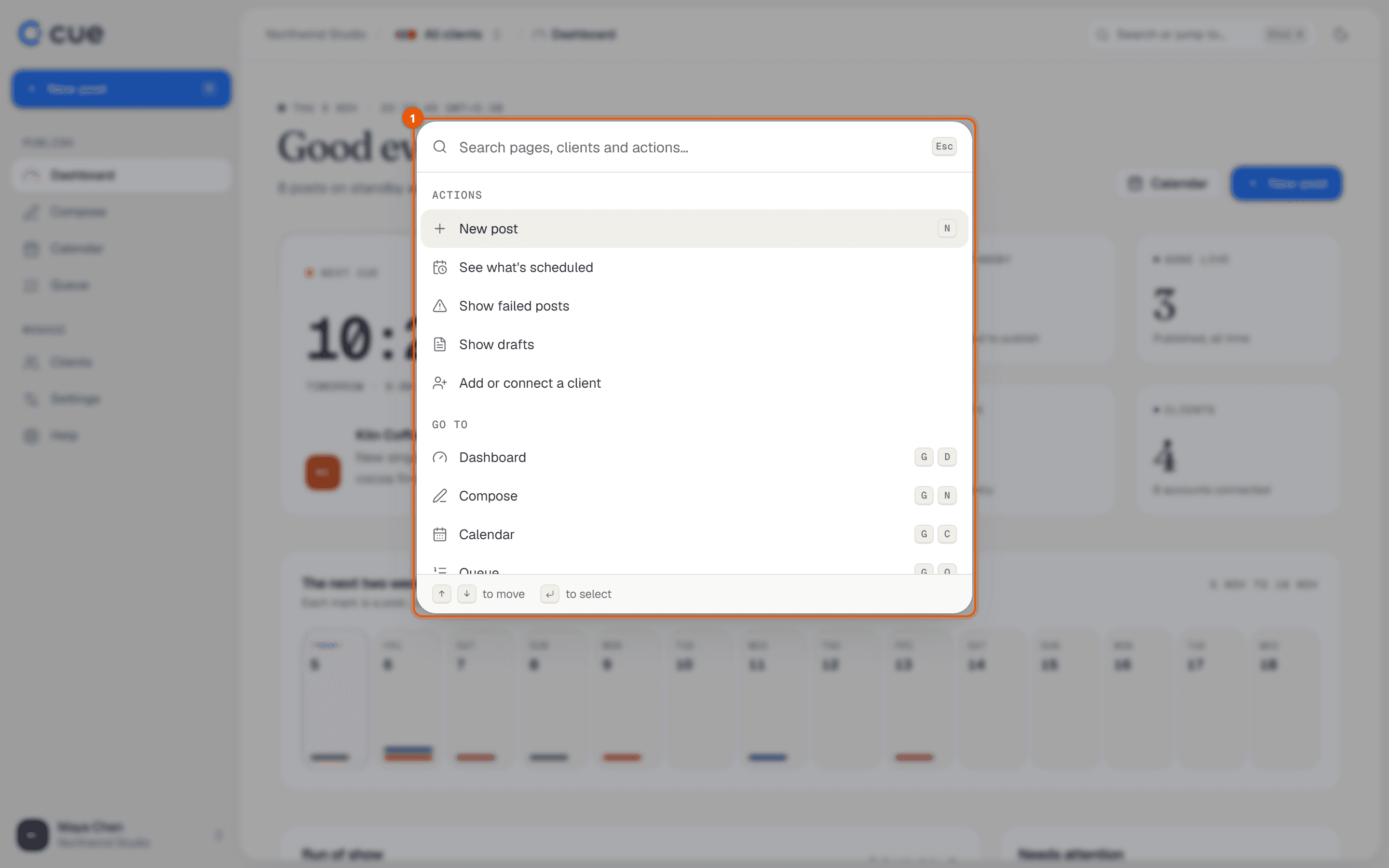
Type what you want: a page, a client's name, "failed", "drafts", or a help topic.
Press
Enterto go there.
Keyboard shortcuts
| Press | To |
|---|---|
N | Write a new post |
G then D | Go to the Dashboard |
G then C | Go to the Calendar |
G then Q | Go to the Queue |
G then L | Go to Clients |
G then S | Go to Settings |
G then H | Open Help |
Ctrl K or / | Search or jump to… |
Related guides
Something here wrong or unclear? Email karan@trycue.space.