

Connect LinkedIn
Connect a client's LinkedIn Company Page or a person's own profile, so Cue can post there.
Company Page or personal profile?
| Choose | When |
|---|---|
| Company Page | Posts appear as the brand, for example "Acme Co.". You must be an Administrator or Content Administrator of that Page on LinkedIn. |
| Personal profile | Posts appear as a person, for example the founder. That person signs in with their own LinkedIn account. |
Connect a Company Page
Open Clients and find the client's card.
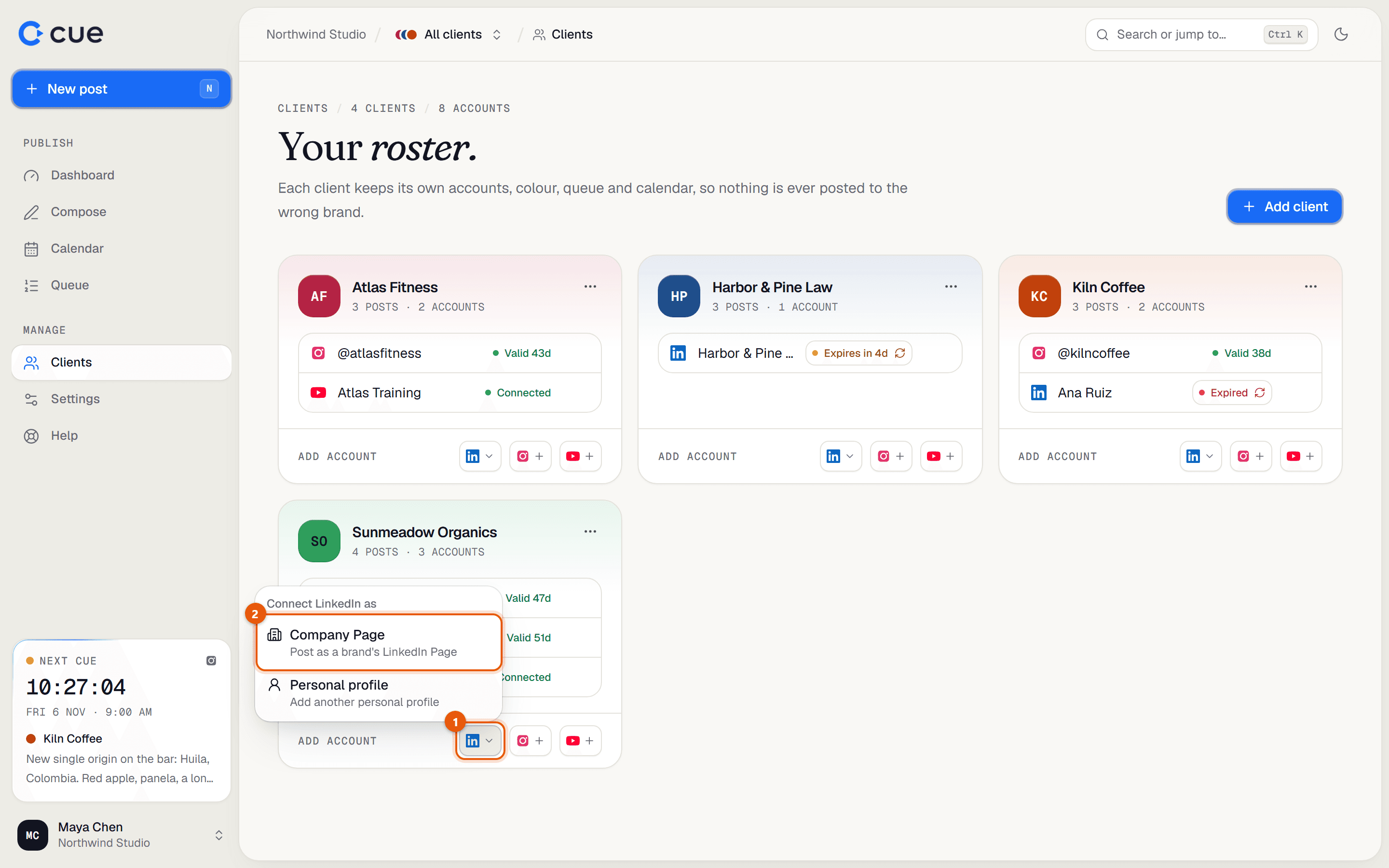
At the bottom of the card, next to Connect, click the LinkedIn logo. Choose Company Page.
LinkedIn opens. Sign in with the LinkedIn account that manages the Page and click Allow.
Cue shows Match your Pages: every Page that account can post to. Next to each Page, choose the client it belongs to. Leave Pages you don't want on Don't connect.
Click Connect 1 Page (or Connect N Pages). You're back on Clients, and the Page shows on the client's card.
Connect a personal profile
Open Clients and find the client's card.
Click the LinkedIn logo at the bottom of the card and choose Personal profile.
The person whose profile it is signs in on LinkedIn and clicks Allow. If that isn't you, do this together, or have them sign in to Cue themselves and do it.
Back on Clients you'll see LinkedIn account connected, and the profile is listed on the card.
If it doesn't work
- "That LinkedIn account isn't an admin or content admin of any Page…"
- Ask a Page admin to give your LinkedIn account the Content Administrator role (on LinkedIn: the Page → Settings → Manage admins), then try again. Or have a Page admin connect it.
- "LinkedIn connection was cancelled."
- The LinkedIn window was closed or Cancel was clicked. Start again from the card.
- "That connection expired or was started in another browser…"
- Connect in the same browser you're signed in to Cue with, and finish within a few minutes.
Related guides
- Account health and reconnectingWhat the label next to each connected account means, and how to reconnect one before posts start failing.
- Posting to LinkedInWhat you can post to LinkedIn from Cue: text, images, a video, documents (carousels), link previews and polls.
- Can't connect an accountEvery message you might see when connecting LinkedIn, Instagram or YouTube, and what to do.
Something here wrong or unclear? Email karan@trycue.space.