

Invite teammates
Invite people to your workspace by email, resend or withdraw invites, and remove people who've left.
Invite someone
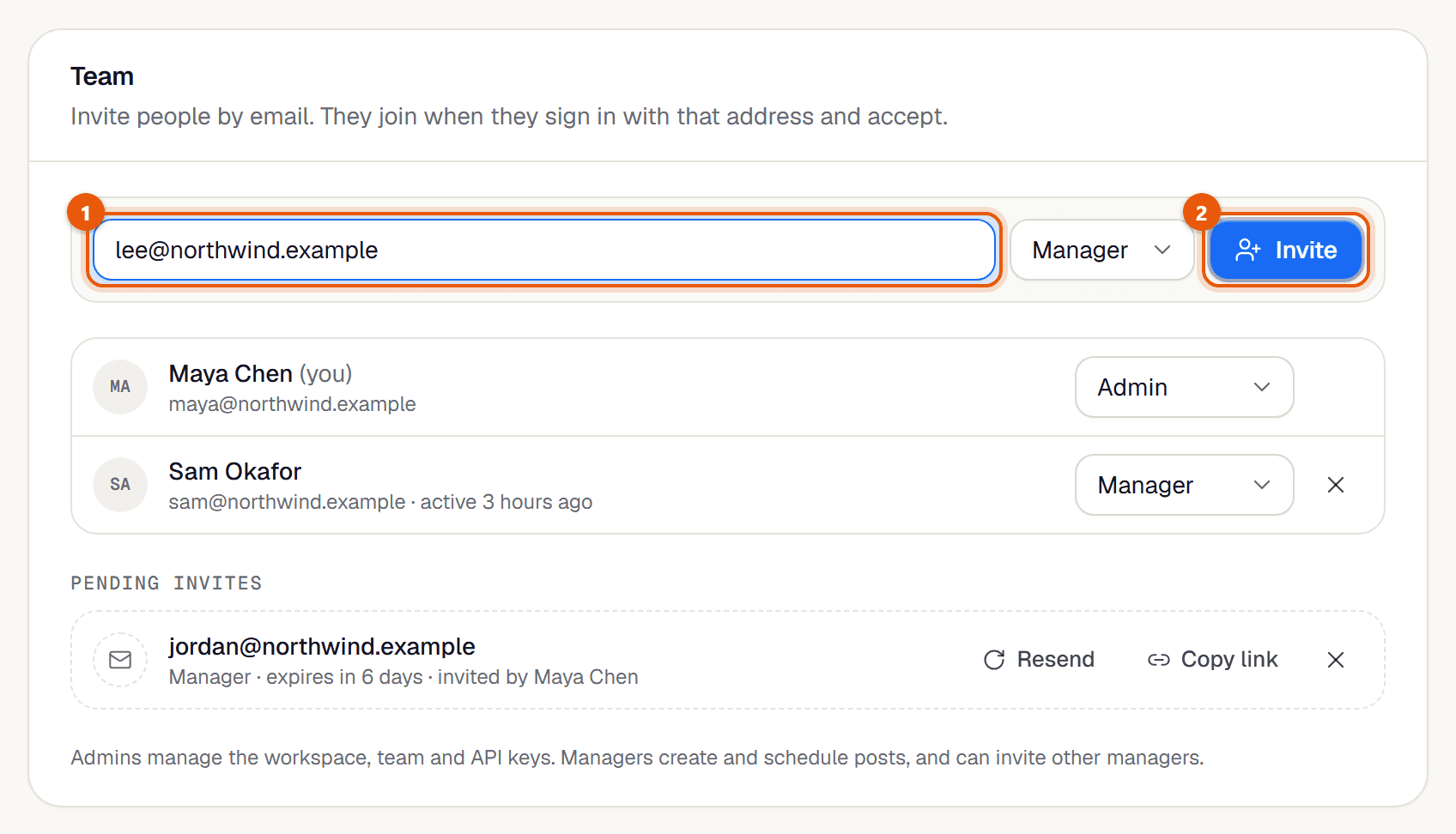
Open Settings and go to Team.
Type their email address.
Admins can choose a role: Manager or Admin. See Roles. Managers can only invite managers.
Click Invite. They get an email with a button to join. You also get Copy link, so you can send it yourself (for example on WhatsApp).
Pending invites
Invites not yet accepted are listed under Pending invites with when they expire.
| Button | Does |
|---|---|
| Resend | Emails it again and gives 7 more days. Once an hour per invite. |
| Renew | Same as Resend, for an invite that has expired. |
| Copy link | Copies the join link to share yourself. |
| ✕ (Revoke) | Withdraws the invite. The link stops working. |
Remove someone
In Settings → Team, find them in the members list.
Click ✕ next to their name and confirm.
- They lose access to this workspace straight away, and their API keys for it stop working. Their posts stay.
- Only admins can remove people. The last admin can't be removed, and you can't remove yourself.
If it doesn't work
- "They're already in this workspace."
- Nothing to do. They can already sign in.
- "They already have an invite. Use Resend on it below."
- Find them under Pending invites and click Resend.
- "Email isn't set up yet, so share the link yourself."
- The invite was created but not emailed. Click Copy link and send it to them.
- "Only admins can invite admins."
- Ask an admin, or invite them as a Manager.
- The invite email didn't arrive.
- Ask them to check spam, or send the link with Copy link.
Related guides
Something here wrong or unclear? Email karan@trycue.space.